Creating Code Patches
Creating a code patch
Creating a code patch is quite simple. To get started, you’ll want to open DevTools in Discord and hit Ctrl + Shift + I or ⌘ + ⌥ + I (Command + Option + I) on macOS.
Once you’ve done that, you’ll want to find the module you want to patch. Start by pressing Ctrl + Shift + F or ⌘ + ⌥ + F (Command + Option + F) on macOS. A search bar will appear, and you can search for Discord code you want to patch.
Keep in mind that you are searching through minified code!
Once you’ve found the code you want to patch, you’ll want to look around the surrounding code for a unique string that only exists in that module you want to patch. This string will be the find string in the code patch.
After you’ve found the find string, you’ll want to write a good regular expression to match the code you want to replace. This will be the match regex in the code patch.
Finally, you’ll want to write the replace string or function that will replace the matched code with your new code.
Example
As an example, we’ll be looking at one code patch in the Nekocord Settings plugin:
// ...patches: [ // ... { find: "Messages.ACTIVITY_SETTINGS", replacement: [ { match: /\{header:.{1,20}ACTIVITY_SETTINGS[^[]{1,30}\[(\i)\.WebSetting/, replace: `{header:"nekocord",divider:!0,settings:["NEKOCORD"]},$&` } ] }, // ...],// ...In this case, the match regex is /\{header:.{1,20}ACTIVITY_SETTINGS[^[]{1,30}\[(\i)\.WebSetting/.
After expanding the \i, it becomes /\{header:.{1,20}ACTIVITY_SETTINGS[^[]{1,30}\[([A-Za-z_$][\\w$]*)\.WebSetting/.
This may seem very complicated at first, but if you were to look at the code it actually matches, it’s a lot less intimidating.
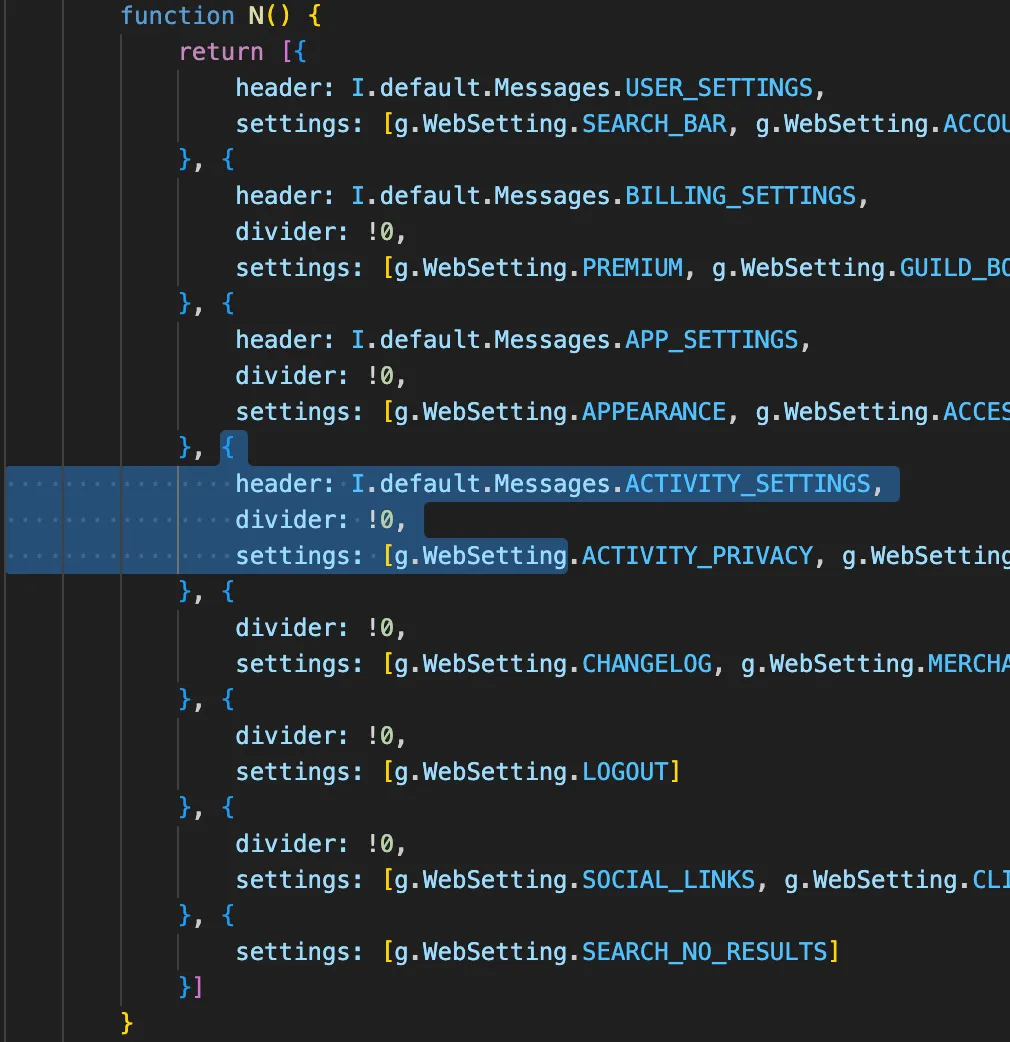
If you were to search Messages.ACTIVITY_SETTINGS (the code patch’s find string) in Discord’s code, you’d have exactly one result. You can see it in the image above.
This is important so you don’t end up patching the wrong module. If the find string matches multiple places in the code, you’ll need to make your match string/regex more specific.
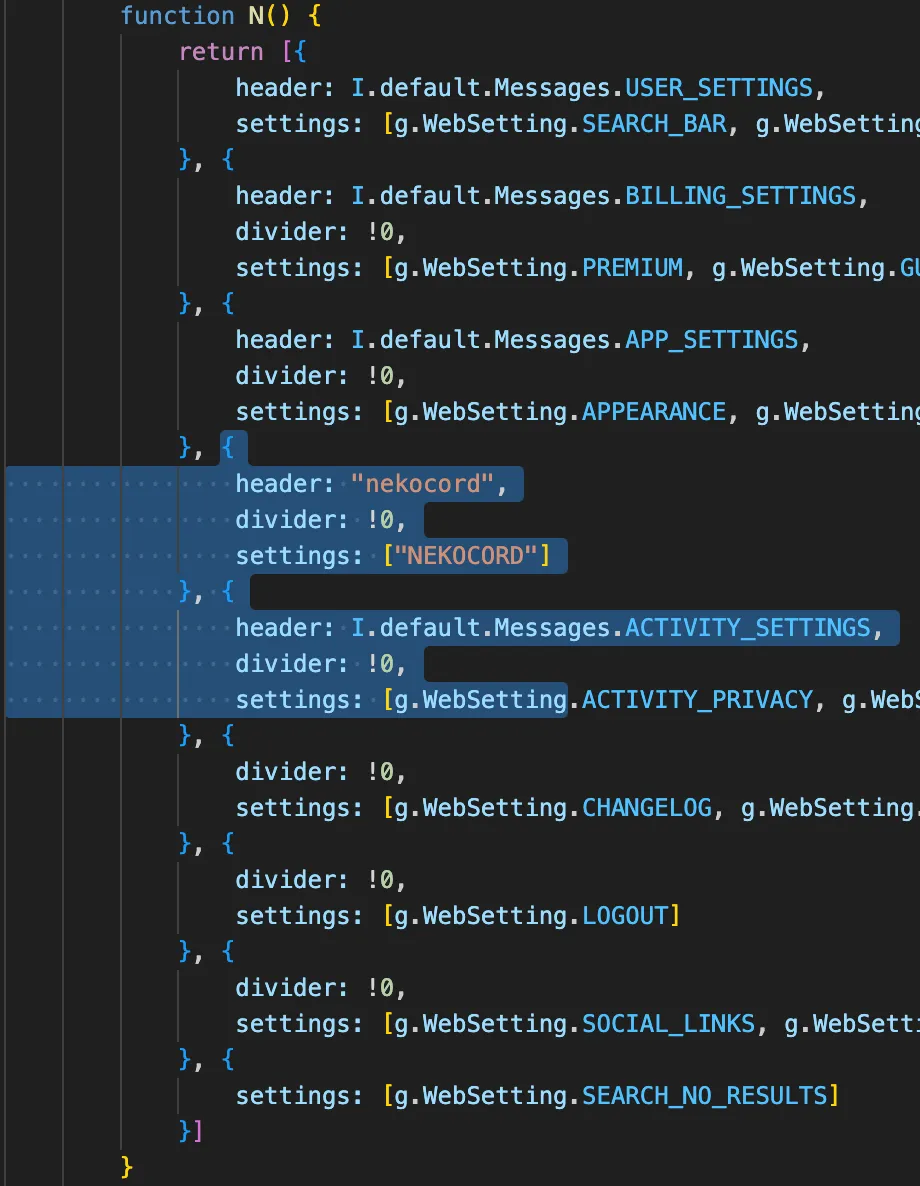
The replacement code is {header:"nekocord",divider:!0,settings:["NEKOCORD"]},$&. This will replace the matched code with the new code. Notice how $& is used to insert the matched code back into the replacement.
Here’s what the code looks like after the patch is applied:
Now that you know how to create a code patch, you can start creating your own patches for nekocord!
If you need help with creating a code patch, feel free to ask in the nekocord Discord server. We don’t bite, we promise!